Build the Website You've Been Putting Off. Yours to Keep, Yours to Edit.
A self-paced mini-course for people who don't code and don't design. Go from a blank prompt to a live site you own.
Just for fun: pick a style and watch a site appear from a single sentence. That's the magic you'll learn to do.
Renting a Website You Don't Even Love?
- Paying every month for Squarespace, Wix, or another builder, and never quite owning what you built.
- Trying an AI builder and getting a site that screams “a robot made this.”
- Getting lost in the jargon of hosting, domains, and deploying, and quietly giving up halfway.
- Being scared to touch your own site in case you break it.
It isn't that you can't do this. Nobody ever showed you the exact steps. That's what this course is.
- 6modules, start to finish
- $0to host your site, free
- ~$12a year for your domain
- $125once. Lifetime access, no subscription
Own your site for good.
Get Claude Site ProSee What Renting Really Costs
Site builders charge every month, forever, and your site goes away when the payments stop. Slide to see what you'd actually spend, next to owning your site.
Owning = the $125 course, plus about $12 a year for your domain. Hosting is free. Builder prices vary, so slide to match yours.
Why Not Just DIY It?
Pick the question that's on your mind.
You can, and plenty of people try. Most stall, and it's rarely because Claude can't do it. It's because nobody told them what to ask, or where the finished site is supposed to live.
You don't know what to ask
A blank prompt box is intimidating. The course starts with a planning worksheet, then hands you the exact prompts and shows you how to refine them, so you're not guessing.
Claude doesn't put it on the internet
It can write your site's code. Getting that code live on your own domain means choosing hosting, buying a domain, and connecting the two. That's where most people get stuck, so we walk through it click by click.
It can look like everyone else's
Prompt without direction and you get the same layouts and colors everyone else gets. The design module teaches the choices that matter, and how to prompt around the AI look.
When something breaks, you're on your own
A link that doesn't work, a page that looks off on a phone, a change that undoes something else. The testing and future-edits modules show you how to check, fix, and update without breaking it.
Claude does the building. The course teaches you where to point it.
Those tools are impressive, and they're great for prototypes and apps. For a simple website that's truly yours, though, there are trade-offs worth knowing before you sign up.
You're renting again
Most run on a monthly plan, and many add usage-based credits on top. That's the subscription trap you're trying to leave, just with a fancier name.
Your site can get tied to their platform
Depending on the tool, your site may live on their hosting and be hard to move. With this method, it's a normal website you host for free and can take anywhere.
The AI look, again
Builders lean on the same templates and styles, so results tend to look alike. Learning to prompt for your own look is how yours stands out.
You learn a tool, not a skill
Once you know how to describe a site, host it, and edit it, you're not stuck with one company's product or pricing. The skill goes with you.
Rent a builder for as long as you like. Or own the skill, and the site, for good.
Side by Side
| Just asking Claude | An AI site builder | Claude Site Pro | |
|---|---|---|---|
| Knowing what to ask | Trial and error | Guided, but generic | Exact prompts + a planning worksheet |
| Getting it online | You figure out hosting and domain | Built in, but tied to their plan | Click by click, with free hosting |
| Ongoing cost | Your domain | Monthly plan, often plus usage | About $12 a year for your domain |
| You own it and can move it | Yes | Often tied to the platform | Yes |
| The generic "AI look" | Likely | Likely | You learn to avoid it |
| When something breaks | You're on your own | Depends on the tool | Testing and troubleshooting built in |
Tools and prices change, so this reflects how they generally work at the time of writing.
Three Words, Demystified
The tech words are the scary part. They're simpler than they sound. Tap a card to flip it.
What's Really Holding You Back?
Pick the thought that sounds most like you.
Six Modules, Start to Finish
 Taught in partnership with Digital Nomad Kit
Follow the path as you scroll. Each module takes you one big step closer to a live site.
- 1
Before You Prompt
A short worksheet to pin down who your site is for, what you offer, and what visitors should do next, so the build doesn't wander.
a clear plan for your site - 2
The Build Prompt
The exact prompts to generate your site, and how to refine them until it feels like you.
your first full draft - 3
Making It Look Good
Colors, fonts, and layout choices without any design training, plus how to dodge the “AI look.”
a look that's unmistakably yours - 4
Getting It Online
Hosting and domain setup, click by click, with screen recordings so you never wonder what to press next.
a live site on your own domain - 5
Testing and Validation
Check that everything works before you tell the world: your links, your forms, and how your site looks on a phone. This is what makes it feel finished.
a site you've checked and trust - 6
Future Edits
How to update your site safely down the road, keep a backup, and fix the common things that go wrong, so it stays yours for good.
the confidence to change it anytime
Also included
- Copy-paste-ready prompts
- Section prompts, for adding pieces to a site you already have
- A troubleshooting guide for when something looks off
- Optional: a live build session with me, offered as an add-on at checkout
Sites Built This Way
Real sites I've built with Claude, using the same approach the course teaches. Hover to pause, click to visit.




 The Partnership
Made With Digital Nomad Kit
Claude Site Pro is a collaboration between me and Digital Nomad Kit, founded by Hannah Dixon. I've built sites for Hannah and her community, and this is the course we teamed up on.
Digital Nomad Kit is a training platform that helps freelancers and virtual assistants build location-independent careers. Hannah started it as a business coach for VAs and freelancers, and it's grown into a community built around ethical pay, diversity, and real support.
Their flagship program is the Virtual Excellence Academy, and that's where you'll find Hannah's full training.
What happens when you enroll
- You check out on Digital Nomad Kit's page.The course is sold through their secure checkout, so it'll look like their brand alongside mine.
- You take the course in their Teachable school.The lessons live on Digital Nomad Kit's platform, and that's where you'll log in.
- You join their email list.You'll hear from Digital Nomad Kit about their trainings and updates. You can unsubscribe anytime.
Questions about your enrollment or a refund? Digital Nomad Kit handles those, and their refund and return policy is shown at checkout.
Who It's For
This course is for you if
- You're a VA, freelancer, service provider, or course creator
- You have no coding or design experience, and that's fine
- You want to own your site instead of renting one
- You'd like to be able to change it yourself
Maybe not, if
- You'd rather hand the whole thing off. I can build it for you instead.
- You want a drag-and-drop template builder
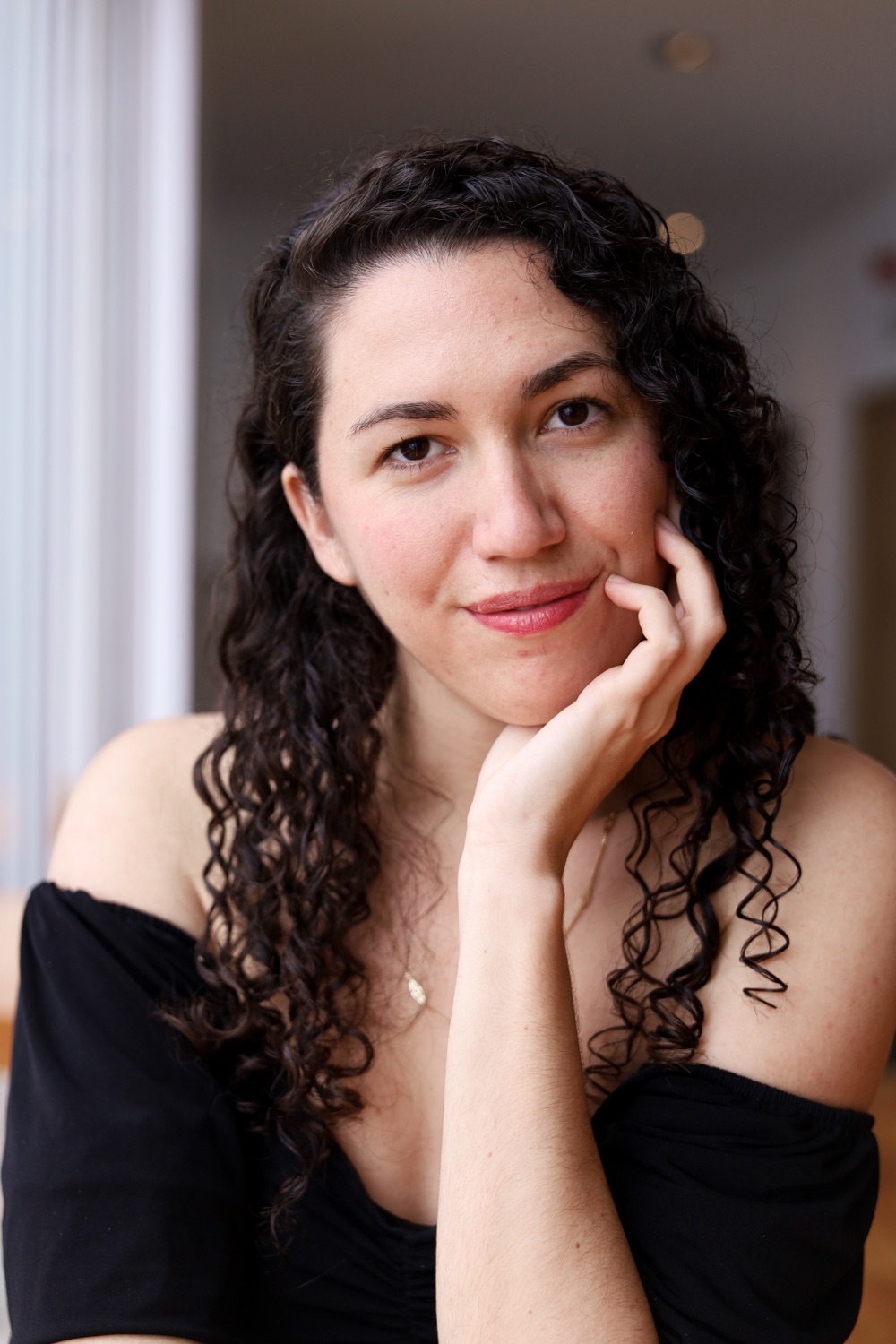
Hi, I'm Cara
I didn't start in tech. I started as a virtual assistant, running launch checklists and backend tasks by hand until I hit my “absolutely not” moment. So I learned to build better systems instead.
Five-plus years later, I've built launches, membership sites, automations, and websites for coaches, course creators, and service providers. Now I build with AI, and I teach people to do the same, so their site is theirs.
Most people who come to me are convinced they're bad at tech. They're not. They just never had someone make it less scary. That's what I'm here for.
Got Questions?
Do I need to know how to code?
No. The AI writes the code. Your job is to ask for what you want, and the course shows you exactly how.
Can I use ChatGPT or Gemini instead of Claude?
You can. I teach with Claude because it tends to produce cleaner code for websites, but the approach carries over.
Do I need a paid Claude account?
Not necessarily. The free tier is enough for most people to build a site.
What does it cost to run the site afterward?
Hosting is free, and the only ongoing cost is your domain, about $12 a year. There's no subscription.
Can I use this with a site I already have?
Yes. The section prompts help you build pieces you can add to a site on another platform.
How long will it take?
It's self-paced, so you go at whatever speed works for you, and you keep lifetime access. The planning worksheet takes the most thought, and it's worth it.
What's the live build session?
An optional two-hour session where we build together and you can ask questions as you go. It's offered as an add-on at checkout.
Where do I take the course?
In Digital Nomad Kit's Teachable school. After you check out on their page, you'll get access there.
Will I be added to an email list?
Yes. Enrolling adds you to Digital Nomad Kit's email list, since they host the course. You can unsubscribe anytime.
What about refunds?
Digital Nomad Kit runs the checkout, so their refund and return policy applies. You'll see it before you pay.
Your Website Has Been On The List Long Enough
Everything you need to build it, host it, and change it later, without hiring anyone. One payment, and it's yours for good.
One-time payment · Lifetime access
Get Claude Site ProClaude Site Pro is created by Cara Laban in partnership with Digital Nomad Kit. You'll check out on their secure page, take the course in their Teachable school, and join their email list (you can unsubscribe anytime).
Rather have someone build it for you? See the done-for-you option.